Booking pages ready in minutes, without back-and-forth emails.
Let your clients choose their time. You just need to show up.
Create as many booking pages as you need and share each one with a link. Every page can be configured independently for a specific meeting type and works directly with Google Calendar or the online Outlook calendar of your Microsoft 365 business account. There is nothing to install or sync manually.
Try it now →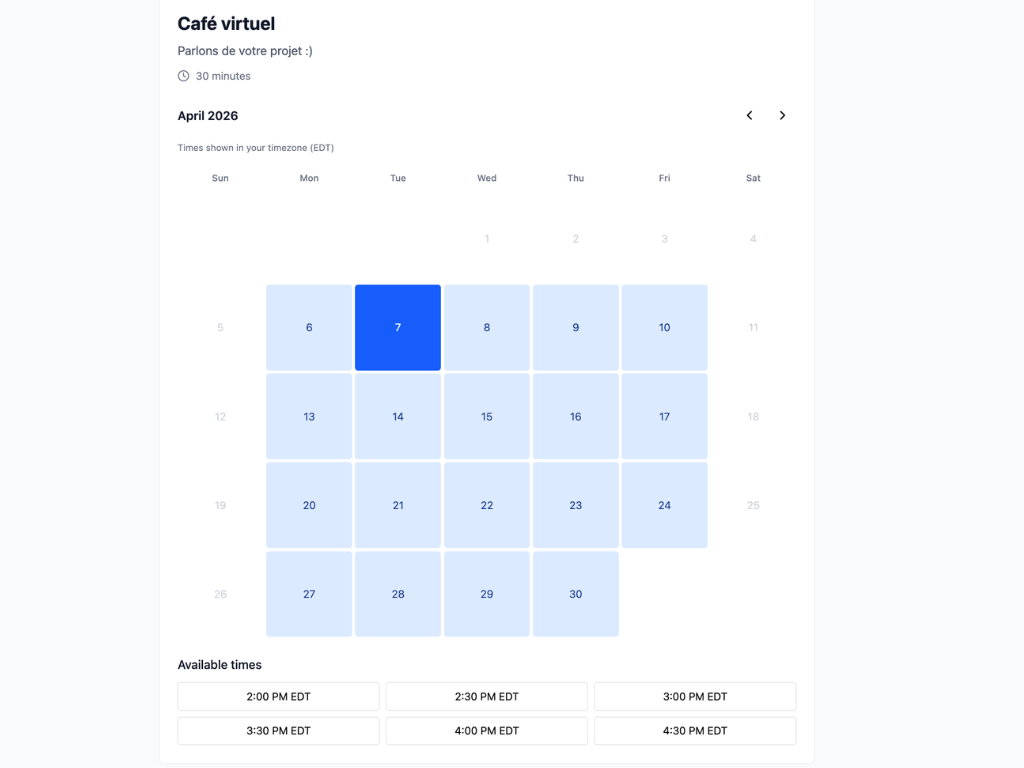
Multiple pages, each reflecting your brand
Create one page per meeting type: discovery consultation, client follow-up, sales call, coaching session. Each page is configured independently with its own availability windows, a minimum lead time before a booking can be made, and a buffer time between meetings so you never find yourself back-to-back.
Booking is simple for your clients
Each booking page displays a clear calendar with real-time availability. Your client picks a date, selects a time slot, fills in their contact info. Confirmed. No account to create, no unnecessary steps. A smooth experience that makes a great first impression.
Automatic calendar invitation
Once a booking is confirmed, your client automatically receives an invitation that is added directly to their calendar. You receive one too. Nobody needs to create the event manually. Everything is taken care of automatically.
Custom questions at booking
Come prepared to every meeting. Add custom questions for clients to answer when they book, such as the discussion topic, company name, or problem they want to solve. You get the context you need before the meeting even starts.
Every booking can become a contact in your CRM
By default, anyone who books through one of your pages is automatically added to your CRM contact list. You can turn this off for booking pages where it would not make sense, such as internal meetings. For every other page, new bookings build your CRM automatically. You can then trigger a follow-up, assign a tag, or keep a complete history of your interactions with that contact.
Try it now →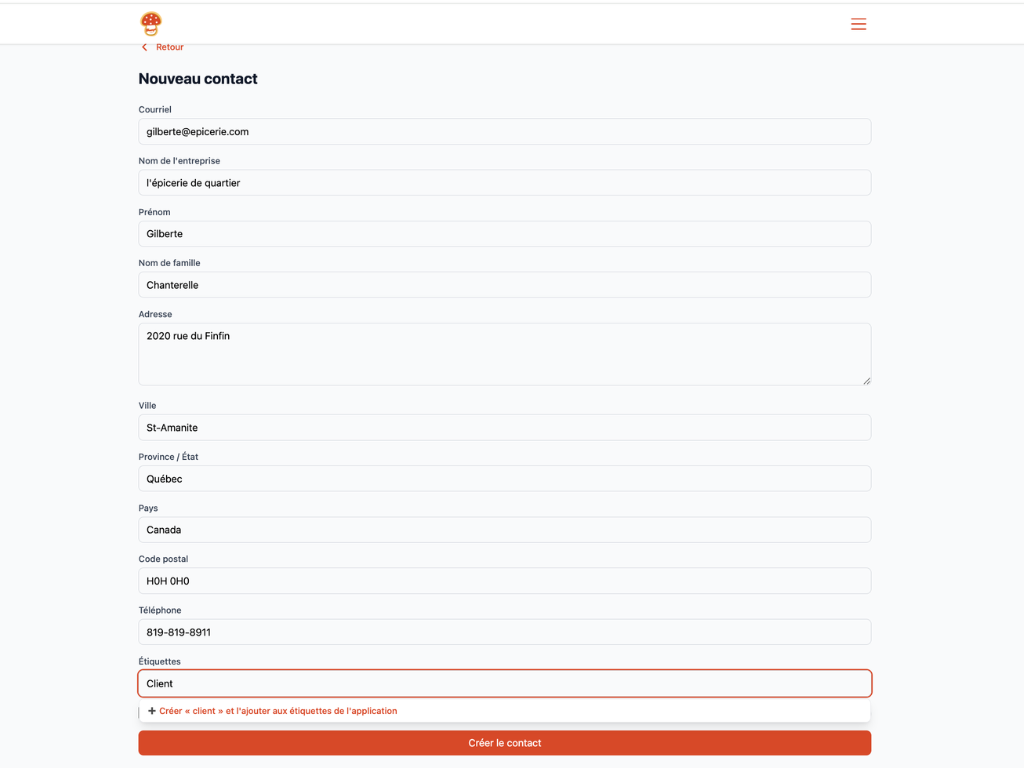
Workflow automation: the engine behind Parle
At the heart of the platform sits the CRM, included free of charge. All your contacts are centralized in one place: visitors, clients, subscribers, learners. Build custom queries to segment your list by any criteria, and add custom fields to store the information that actually matters to your business. Tags play a central role across all of Parle: they trigger email sequences, control access to content, and power all your automations. Adding a tag to a contact sets a gear in motion and lets Parle do the work for you.
Try it now →Other tools to develop your offering
Combine your bookings with other modules to offer more to your clients.