The Phone module gives your business a Canadian number separate from your personal mobile phone. Use it to receive and place business calls.
After enabling the module, open Phone from the module menu, then click Go to settings.
Find a number
In the Phone numbers tab, search using one or more criteria:
- An area code, such as
514 - A city
- A province or territory
An area code and province generally produce better results than a city alone.
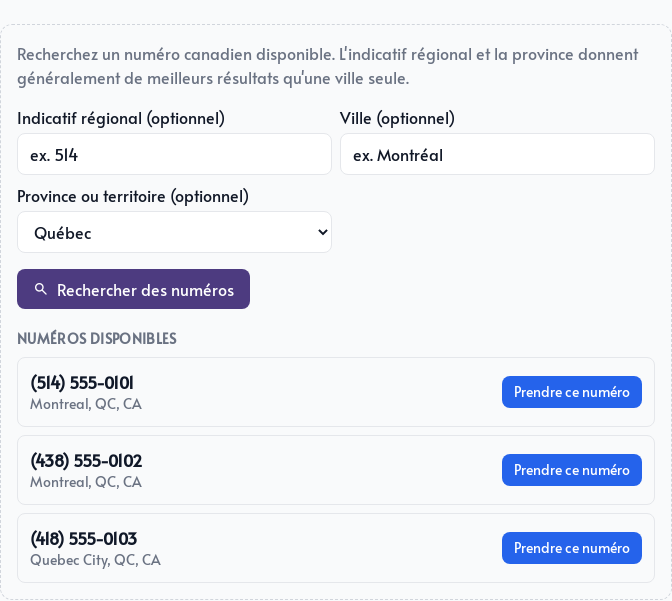
Browse the results, then click Book this number next to the number you want. Once booked, it becomes the number your callers dial and the number displayed when you place a call with Parle.
Configure general operation
In the same section, choose:
- The hold music callers hear while Parle connects them to a destination
- The time zone used to interpret extension schedules
- Whether outgoing calls are enabled, if this option has been activated for your account
Choose the time zone where your team usually works. The hours configured later for each extension will use this time zone.
Click Save before configuring destinations and extensions.