The routing is based on two different elements:
- A destination is a real mobile phone number that receives calls forwarded by Parle.
- An extension is the number a caller chooses to reach a department or person.
The same destination can be connected to several extensions. For example, your mobile phone can receive sales calls through key 1 and calls to your direct extension at 101.
Add a destination
Open the Destinations tab, then enter the mobile number that should ring. You can also provide:
- The email address that will receive voicemail notifications
- The administrator associated with the destination
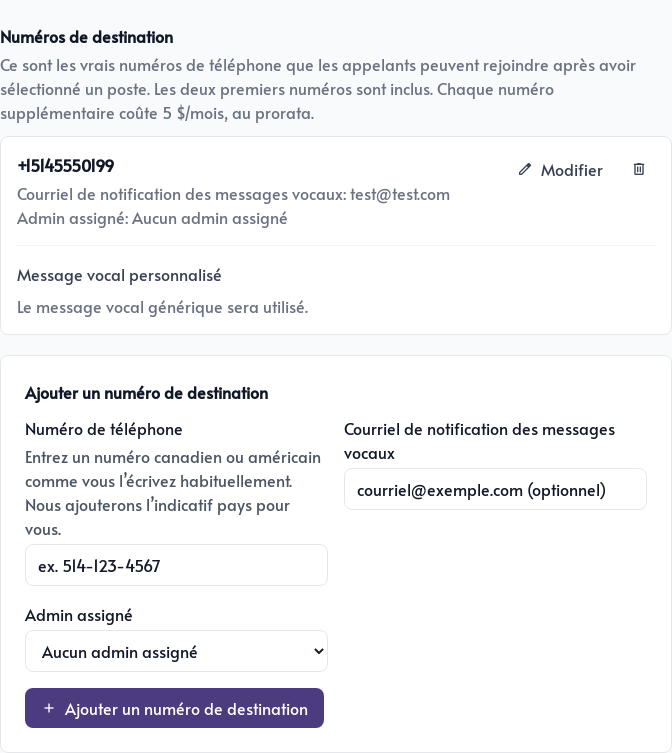
Click Add destination number. You can now use this destination for one or more extensions.
Customize the voicemail greeting
Click Edit beside a destination to record a voicemail greeting using your browser’s microphone.
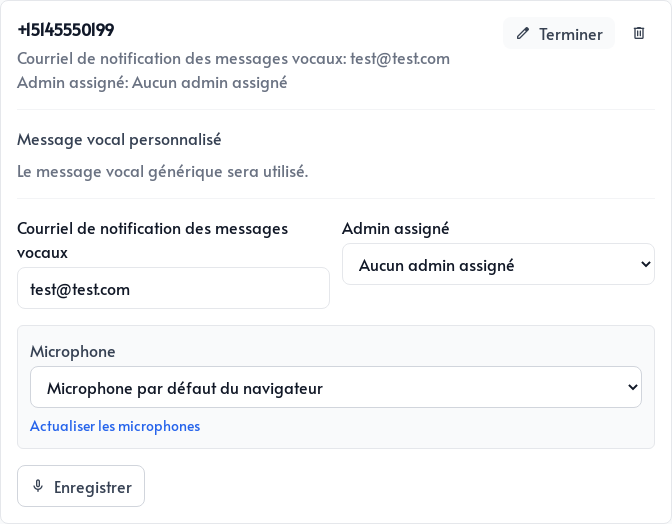
This greeting is specific to the destination. If you do not save one, Parle uses the default greeting.
Add a department or direct extension
In the Extensions tab, click Add an extension.
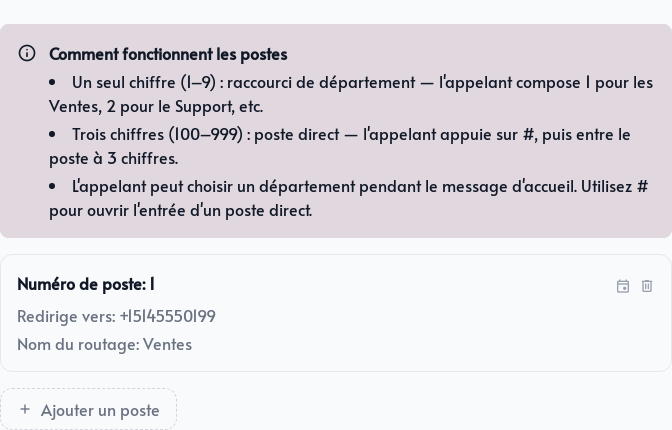
- Use a single digit from
1to9. The caller presses this key during the welcome message. - Use three digits from
100to999for a direct extension. The caller presses#, then enters the three digits.
Give the extension a name, such as Sales, then select the mobile number under Forward to.
Set the extension schedule
Each extension has its own schedule. Enable Always available to route calls at any time, or disable this option to choose days and hours.
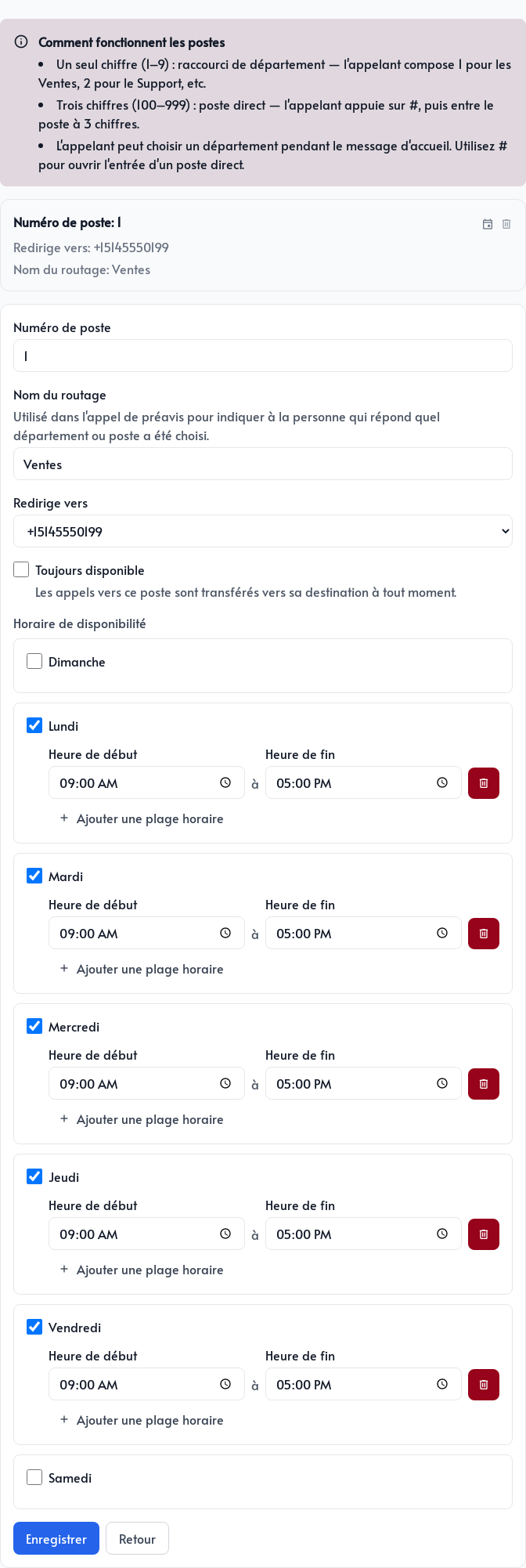
You can add multiple time ranges to the same day. For example, the sales department can be open from 9 a.m. to 5 p.m. while support uses a different schedule. Several extensions can still use the same destination number.