Invoice configuration is split between two places. Module options are under Invoicing > Go to settings. Stripe, currency, and taxes are configured in the application’s payment settings.
Invoices module settings
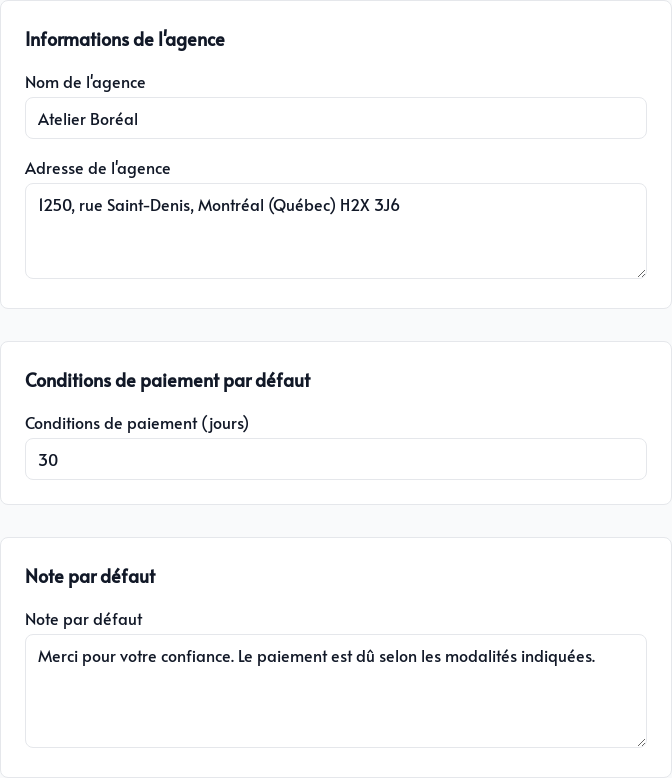
In the General tab, configure:
- Agency name and Agency address: your company’s contact information displayed on new invoices
- Payment terms (days): the suggested default payment period
- Default note: text added to new documents by default
Payment methods
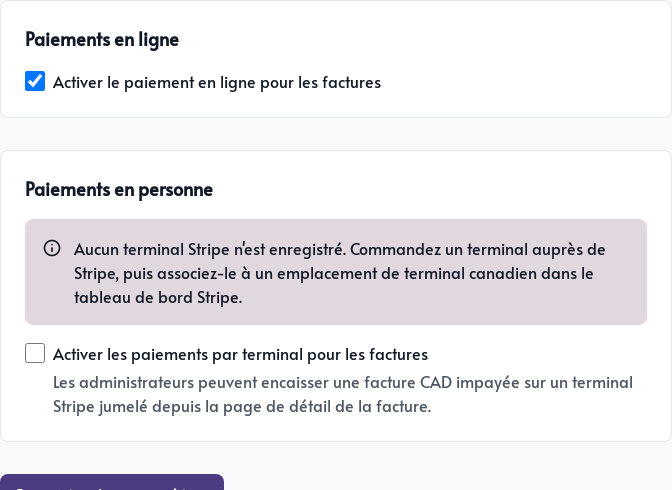
- Enable online payment for invoices: displays card payment on the client’s page
- Enable terminal payments for invoices: lets an administrator collect an unpaid invoice using a compatible Stripe terminal
In-person payment requires a reader registered with Stripe and associated with a Canadian terminal location. This option is available only for invoices in Canadian dollars.
These values are defaults. You can still adjust the contact details, payment terms, and note for an individual invoice.
Connect Stripe
A connected Stripe account is required to accept card payments, whether they are made on the customer’s page or as part of a recurring invoice.
See Payments with Stripe to connect the account and confirm that it is fully configured. Without this connection, you can create and share an invoice, but the client cannot pay it by card.
Currency and taxes
Open the application menu, choose Settings, then open the Payments tab.
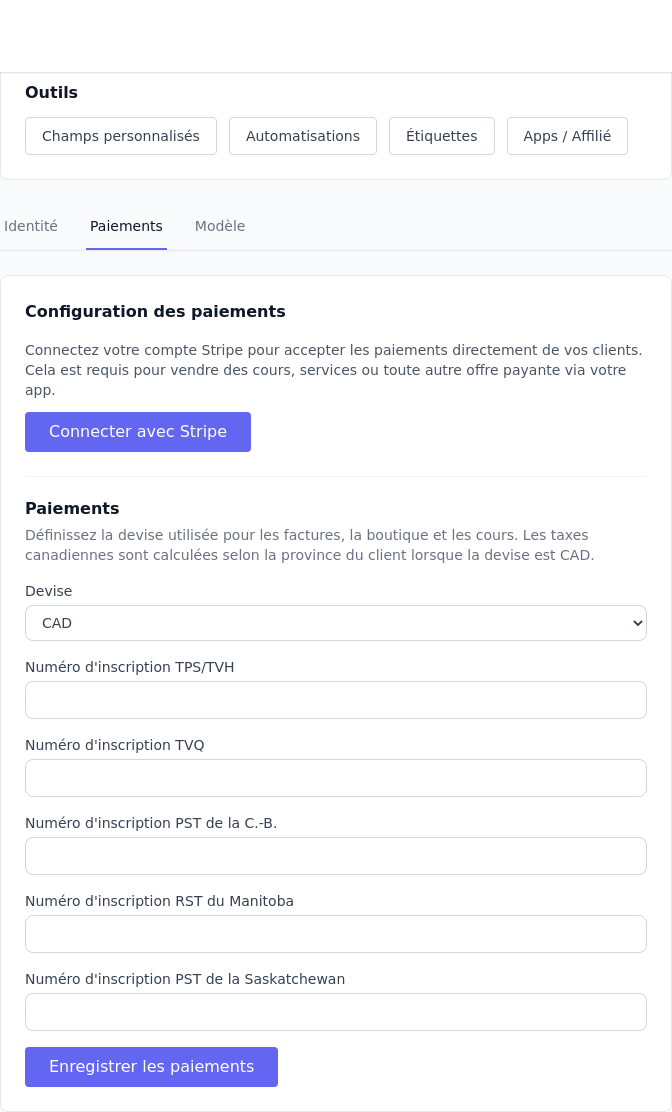
The currency applies to every module that accepts payments. Tax registration numbers tell Parle which Canadian taxes your business must collect, including GST/HST, QST, and provincial taxes.
Once the required registrations are configured, Parle can calculate applicable taxes based on the client’s address and province. Save the payment settings before preparing invoices.