A recurring invoice is useful for a service or subscription that bills the same amount at regular intervals.
Online payments must be enabled and a Stripe account connected before you can configure a recurring invoice.
Prepare the reference invoice
First, create a standard invoice with the correct client, line items, and a total greater than zero. This invoice becomes the reference for future invoices generated by the recurring profile.
On its detail page, click Convert to recurring invoice.
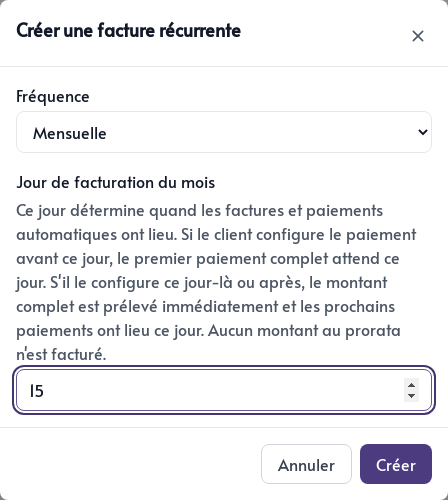
Then choose:
- Monthly for billing every month
- Quarterly for billing every three months
- Annual for one invoice each year
- Billing day of the month to determine when the automatic invoice and payment are processed
If the client configures payment before the chosen day, the first full payment is due on that date. If they configure it on or after that day, the full amount is charged immediately and future payments follow the schedule. No prorated amount is calculated.
Click Create to create the recurring profile.
Find recurring profiles
From the invoice list, open Go to settings, then select the Recurring invoices tab. The list shows each recurring profile’s frequency, billing day, and status.
The standard invoice remains the profile’s starting point. Make sure its content, total, and client details are accurate before converting it.