Students use the same public website as your clients. They open your application address, click the sign-in button, and enter the email address and password associated with their account.
The client portal
After sign-in, My portal brings together everything the student purchased or was given access to. Their courses appear under My courses.
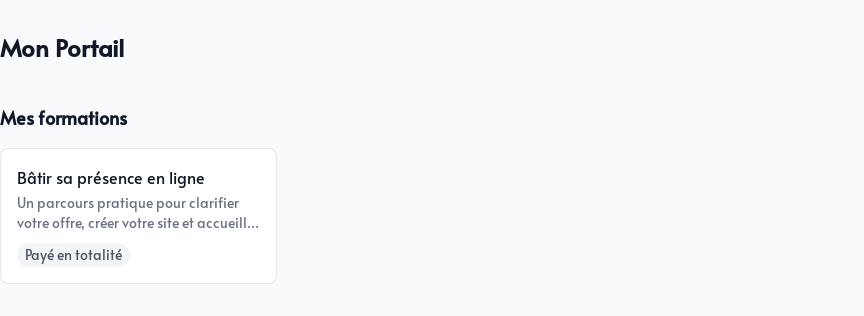
Each card displays the course title, description, and billing status. The student clicks the card to open the course.
The course outline
The course page displays:
- the image, title and summary prepared in the course details;
- the status of the billing;
- The progress percentage and number of completed lessons
- the chapters and their lessons in the order you have chosen.
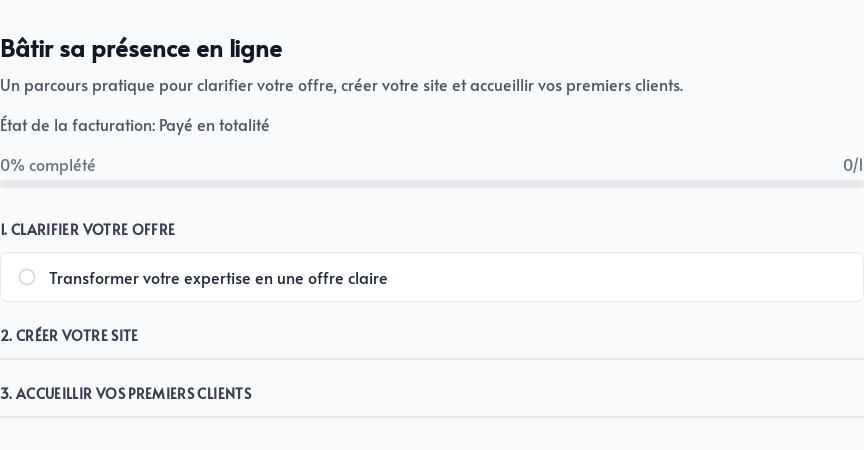
An empty circle indicates a lesson that has not yet been opened. When a student clicks on a lesson, it is marked as completed and the percentage is automatically updated.
If the course uses a cohort or access period, Parle indicates when content is not yet available or the access period has ended. For a subscription, access may also stop when billing is no longer active.
Lesson display
A lesson opens on a clean page without administration tools. Blocks appear in the order set in the editor.
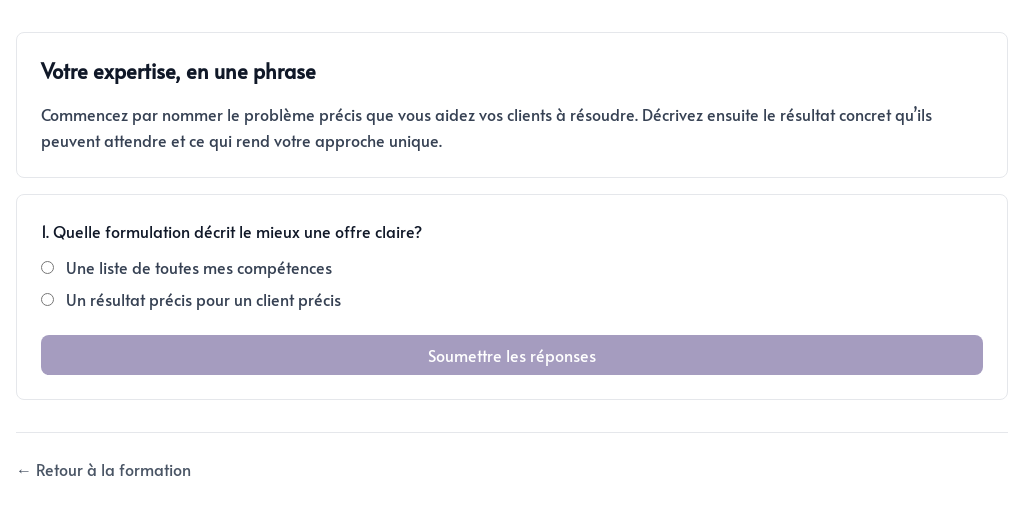
Students can watch videos, listen to audio files, read articles, download PDFs, and complete activities directly on this page.
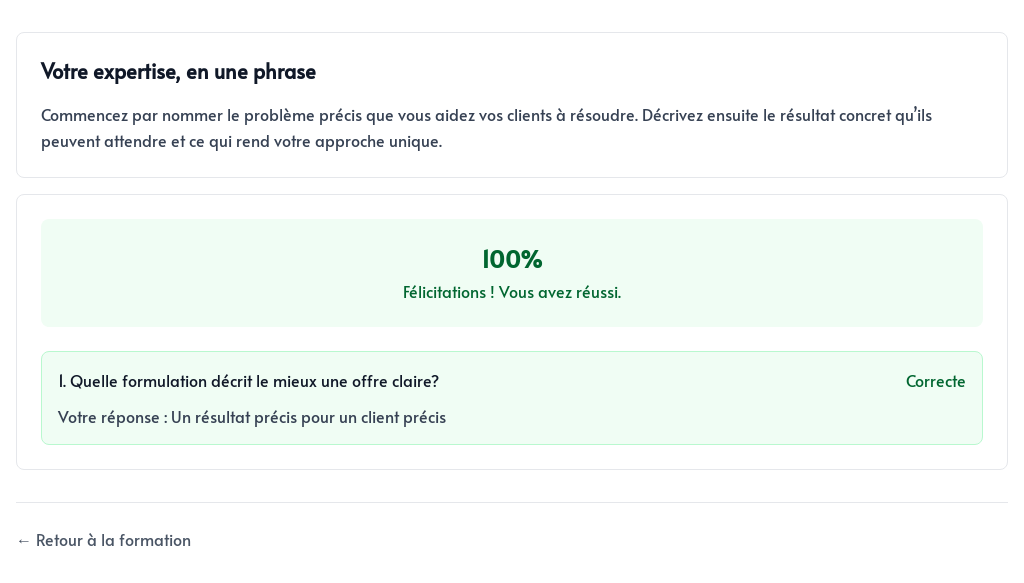
When a quiz is submitted, Parle displays the result and the selected answer. If you allow another attempt, the student can retake the quiz after an unsuccessful result.
At the bottom of a lesson, Return to course takes the student back to the course outline. When another lesson follows, Next lesson lets them continue without returning to the outline.
Check your course before opening it
Create a test student with another email address and complete the entire course before inviting clients.
- Chapter and lesson titles are in the correct order
- Every video, audio file, image, and download works
- Quiz answers and feedback are accurate
- Buttons for moving to the next lesson appear in the right place
- Dates and access rules match your offer
- Progress increases as expected
This review shows you exactly what your first student will experience and lets you correct small omissions before launching.