Offers determine how students pay for a course. Cohorts determine when a group can enrol and access it.
These two sections become available after you first save the course. Open Course settings, then click the pencil icon for the course you want to edit.
To accept payments, your application must first be connected to Stripe. See Payments with Stripe before opening sales.
Choose your offers
Open the Offers tab. You can provide three payment options:
- Full payment – the course price is paid once.
- Monthly payment plan – the total is divided into a fixed number of monthly instalments.
- Monthly subscription – the same amount is charged monthly until cancellation.
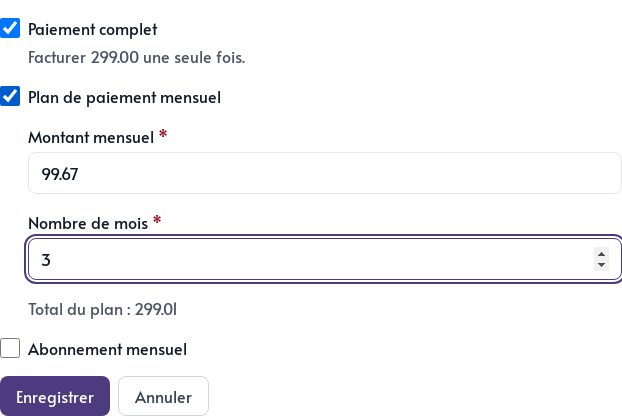
For a payment plan, enter the Monthly amount and Number of months. Parle displays the plan total so you can review it before saving. A plan must last at least two months.
A payment plan and subscription may seem similar, but they make different commitments to the customer. A payment plan has a known end date and total, while a subscription continues until cancellation.
You can offer several choices, for example a full payment or three monthly payments. If access to the course depends on an active subscription, however, the subscription must be the only offer activated.
Match the offer and access method
Return to the Details tab and review the Course access field:
- Lifetime access works for a one-time purchase that the student keeps.
- A fixed access period works when a purchase opens the course for a set number of months or years.
- Cohort access works for group training that follows a schedule.
- Active subscription reserves access for students whose monthly payments are current.
This choice controls access to the content, while the Offers tab controls billing. Always review both before sharing the course.
Schedule a cohort
Choose Cohort access in the course details, then open the Cohorts tab and click Add a cohort.
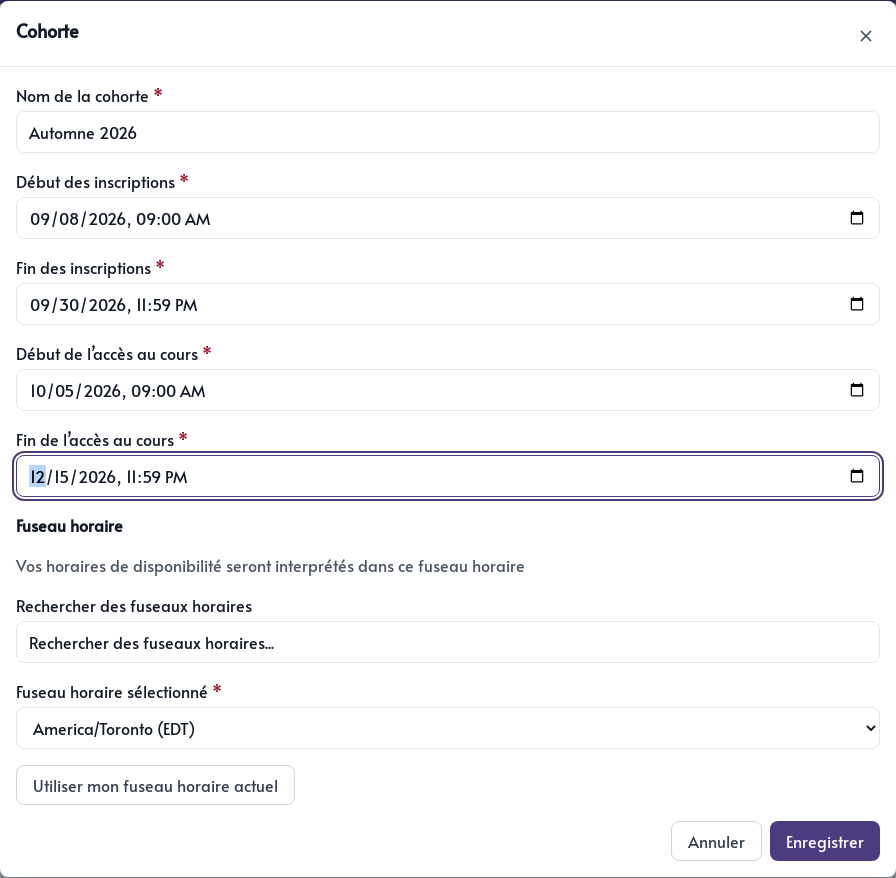
For each cohort, enter:
- A clear name, such as
Fall 2026 - The start and end of enrolment
- The start and end of course access
- The time zone used for these times
The registration period indicates when the group can buy its place. The access period indicates when the lessons are actually available, so these dates may be different.
Two cohorts for the same course cannot have overlapping enrolment periods. This prevents buyers from having to choose between two groups open at the same time.
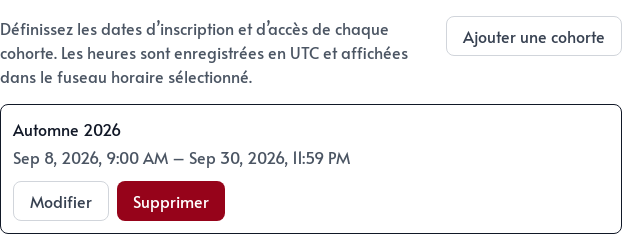
Use Edit to adjust dates or Remove to delete a cohort you will not use.
Before launching, review the course as a student would. Check the amount due today, payment plan total, cohort name, displayed dates, and when the content becomes available.