A student can access a course in three ways: manual enrolment, a bulk import, or purchasing the course.
Enrol someone manually
Manual enrolment is useful when someone paid another way, receives free access, or is part of your test team.
From the Courses module:
- Open Course settings using the gear icon.
- Click on the user icon on the right of the course.
- Click Register a student.
- Enter their email address, then click Enrol.
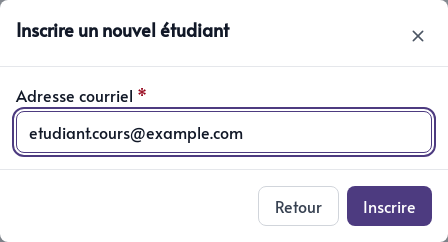
If the email address already belongs to an account in your application, Parle adds the course to that person’s portal. They keep their current password.
If the address is new, Parle creates a contact and user account. A temporary password appears in the confirmation. Copy it then and send it to the student securely. They can use your application’s sign-in page to access the course.
The enrolment immediately appears on the progress page with the status Paid in full.
Import a list of students
To enrol several people, open Course settings and click Import students.
Prepare a CSV file with email and course columns:
email,course
marie@example.com,Build Your Online Presence
samir@example.com,Build Your Online Presence
The value in the course column must exactly match the course title in Parle. Upload the file and allow the import to finish. You will receive a confirmation email.
Enrolment after purchase
When students purchase a course, they sign in to an existing account or create one during checkout. After a successful payment, Parle:
- Creates the course enrolment
- Adds the configured tags to the CRM contact
- Applies the configured access period, cohort, or subscription
- Places the course in My portal
- Adds the purchase to the Courses module orders
No second enrolment is needed. Before selling a course, make sure Stripe is connected, the offer is accurate, and the access method matches what you promised.
For a free course, you can use manual registration or import to give access to the chosen people.