The Bookings module lists appointments made through your pages. Each row shows the person’s name, email address, and meeting date and time.

Click a booking to open its record.
Review the details
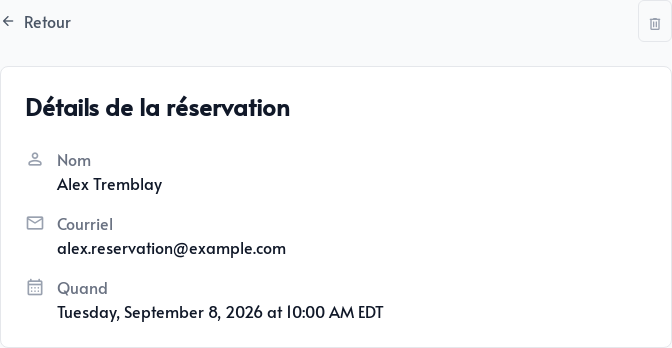
The record displays the essential appointment information:
- The person’s name
- Their email address
- The scheduled date and time
The information collected by CRM options is also available in the contact form.
Cancel an appointment
Open the booking, then click the trash icon in the upper-right corner. Verify the selected appointment before confirming deletion.
Deleting the booking also cancels the event in the connected Google or Microsoft calendar. The time slot becomes available again if it still meets the page’s schedule, booking notice, and buffer requirements.
Use Go to settings from the list to return quickly to your booking pages or calendar connection.