All applications in your account share a single storage capacity. A video added to a course, a product image, and a document used in another application all contribute to the same total.
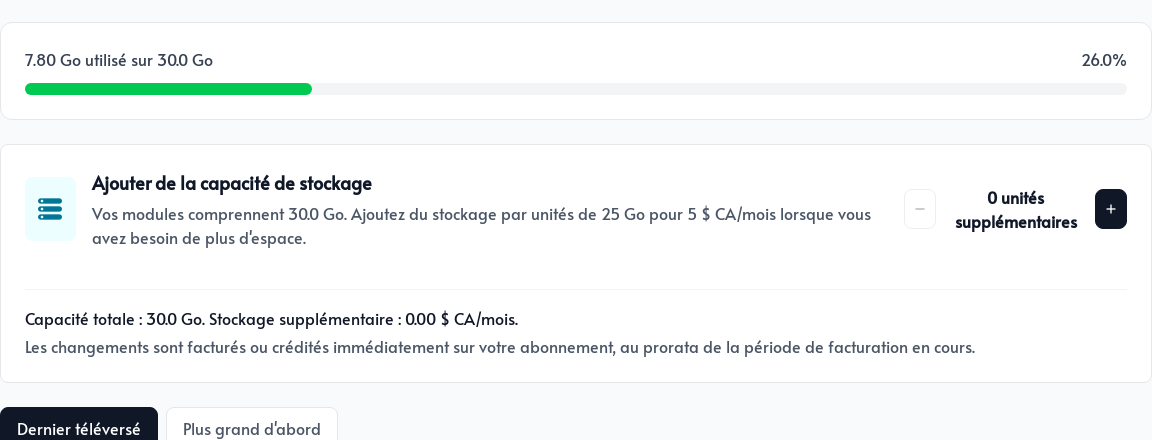
Open Storage from the top menu at apps.parle.work to see how much space you are using and your account’s total capacity.
How your capacity is calculated
Each active paid module adds space to your account. If you activate modules in several applications, their storage allocations are combined and become available throughout the account.
The Pricing page shows the space included with each module and provides an interactive estimate. You do not need to divide this space among your applications.
Review your files
The usage bar compares the space used with your total capacity. Below it, sort your files by date or choose Largest first to quickly identify the files using the most space.
Delete files carefully. If a file is still used in a course, webpage, product, email, or document, that content may no longer appear. Replace the file wherever it is used first, and keep a separate copy of important files.
What happens as you approach the limit?
At about 90% usage, Parle sends you a friendly warning by email. You can then free up space or add 25 GB for CA$5 per month directly from the Storage page. Add as many blocks as you need.
Your account will not be closed automatically because you exceed its storage capacity.
If you exceed the limit, we will contact you to find the right solution. Our goal is to give you time to act, not interrupt your business or make your content inaccessible without warning.