Your account can contain multiple applications. An application is a complete workspace with its own name, address, image, modules, and data.
This separation is useful when you run more than one business or activity. For example, you could use one application to sell content, products, and courses, and another for consulting services, proposals, invoices, and phone calls.
The applications remain separate for your clients but are grouped under the same account, giving you one sign-in and one subscription for managing them.
Manage your applications
Go to apps.parle.work , then choose Applications from the top menu.
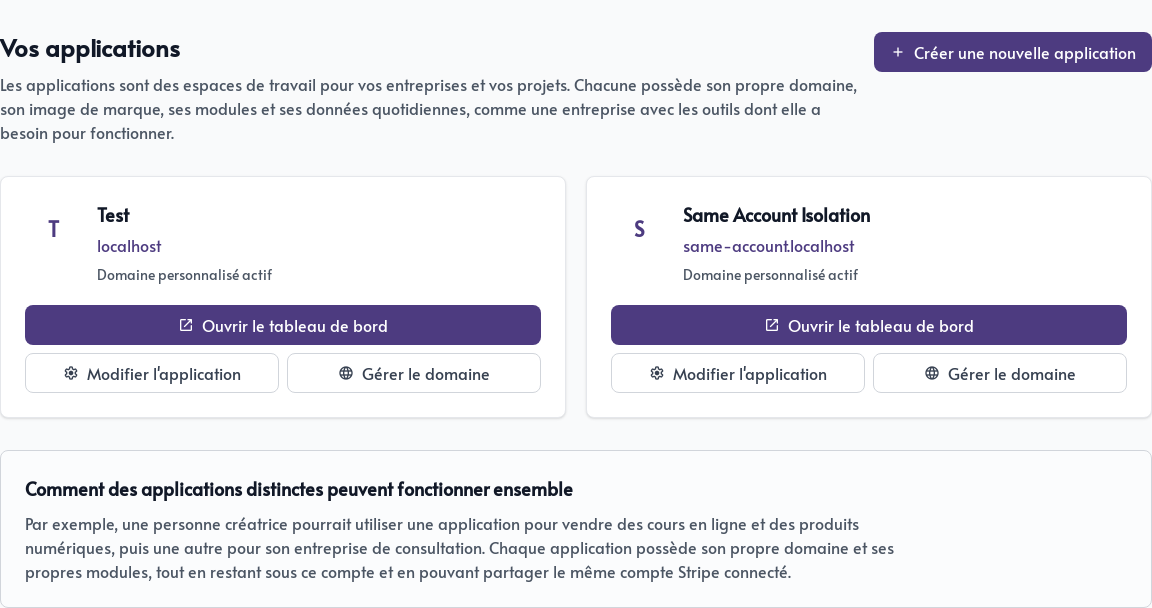
For each application, you can:
- Open the dashboard to use its modules and manage its content;
- Edit application to change its name, language, colour or logo;
- Manage the domain to choose the address used by your visitors and customers.
Before changing content, make a habit of checking the application name. Contacts, pages, products, and other data from one application are kept separate from every other application.
Create a new application
Click Create a new application. Give it an easy-to-recognize name, then choose a temporary address ending in .parle.work.
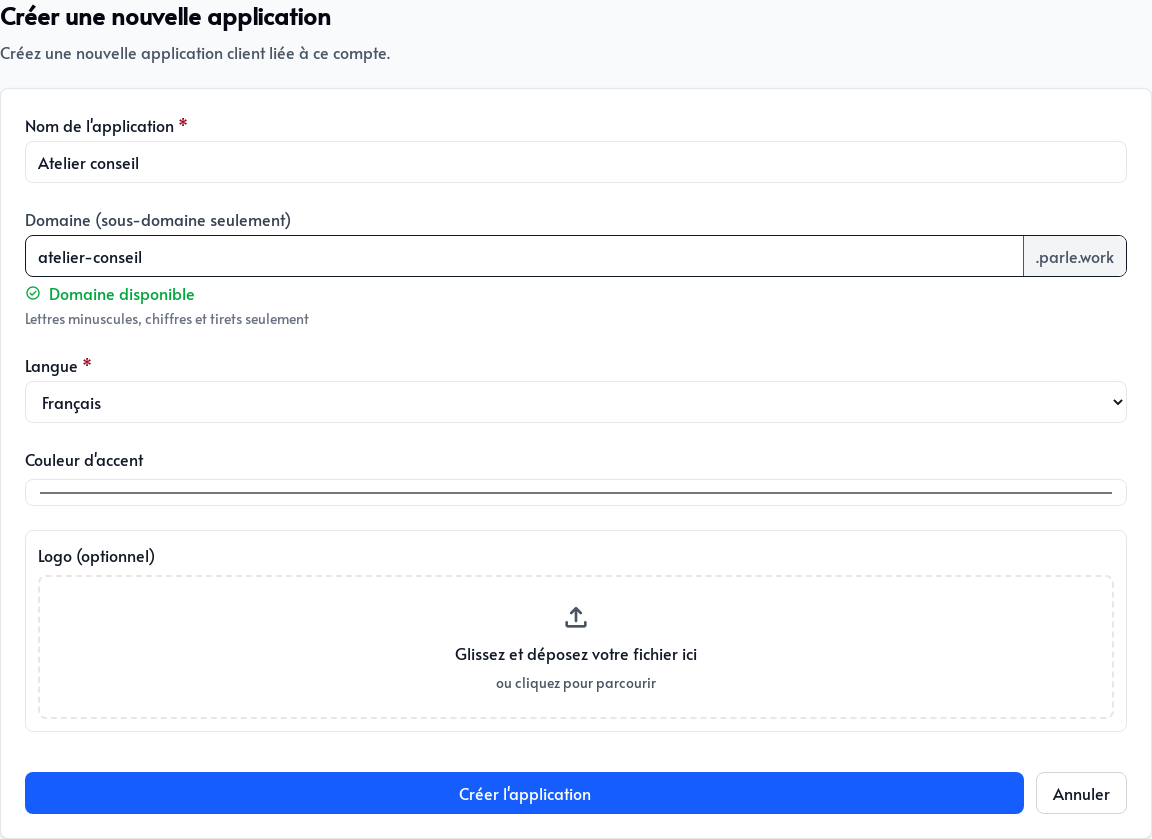
You can also select its language, main colour and logo. These choices can be changed later.
Then click Create application. A new application starts with no active modules. Open its dashboard and activate only the tools this business or project needs.
What is shared and what remains separate
All applications belong to the same account, share its billing, and contribute to its storage capacity. You can also use the same Stripe account to receive payments from multiple applications.
Each application keeps its own domain, modules, settings, and operational data, allowing your businesses to operate independently without requiring separate accounts.