
Creating a good online course is already enough work. Ideally, choosing where to publish it should be simple, but right now, it’s a bit of a slog.
I’ll try to make your life a little easier and answer a few important questions before you make that decision.
A quick note before we start: I’m one of Parle’s founders. Obviously, I have a soft spot for our platform. But the point here is to help you choose based on your needs, and that means giving the others credit for what they do well, too.
Why choosing the right platform matters
Online courses can be fairly complicated to move from one platform to another. You’ll probably hear about SCORM, a format that helps training content work across compatible systems. But that doesn’t mean your courses, contacts and follow-ups all move over with one click.
Parle doesn’t support that format, and neither does Kajabi . Elsewhere, availability depends on the platform and plan. So if you need it, check before getting started.
OK, so how do I move from one platform to another?
Often, you can export your learner list, download your files and recreate the course on the new platform. Progress, access permissions and subscriptions need a separate look.
Yeah, it’s not great, but it’s something to plan for. That’s why ease of course creation should be one of the things you look at when comparing platforms.
I’m not trying to discourage you, just being upfront. Several platforms, including Podia and Parle, can help with migration. It’s worth asking what’s included.
What should you look for?
That mostly depends on your needs. Most platforms let you create chapters, lessons, payment options and a schedule for releasing content. The differences get more interesting when you look at everything around the course.
Want to offer coaching afterwards? You’ll need bookings. Want your learners to help each other? You’ll need a community. Want to run a live workshop? Then you need to look at what the platform actually means by “webinar.”
I think plan limits, pricing, of course, and advanced features should all be part of your comparison. But also count the outside tools you’ll have to connect and pay for, the setup time and any help you might need to hire. A small subscription doesn’t guarantee a small setup bill.
And above all, support. We sometimes forget how important that becomes when a question or problem comes up. You want to know whether you’ll get an answer in your language, from someone who actually cares about your success.
The prices below were checked on September 26, 2026. Parle’s prices are in Canadian dollars; competitors’ prices are in US dollars. Monthly subscriptions use monthly billing, with no annual commitment, except LearnDash, which bills annually. Taxes and payment processing fees are extra.
Storage: what does “unlimited” actually mean?
We’ve already had two or three conversations about this with business owners. When your courses contain a lot of video, storage becomes a real factor in your choice. I also wrote about it in Beware of the fine print .
The word “unlimited” deserves a closer look. Storage is the space your files take up. Bandwidth is what gets used when learners watch your videos. Then there’s the maximum size of a single file and the number of videos allowed. Those are different limits, and a promise of unlimited storage doesn’t make them disappear.
Here are a few concrete examples from the platforms’ own documents:
- systeme.io advertises unlimited storage , but article 8 of its terms allows it to block access in certain cases where usage affects other customers or generates unusual costs that make the service unprofitable. That clause doesn’t give a specific threshold in GB. Hard to budget around that.
- Thinkific sets conditions on storage and bandwidth usage in section 4.3.11 of its terms . Its documentation also specifies monthly video bandwidth limits , including 100 GB for Basic. That’s not a storage limit: video viewing counts, too.
- Podia publishes limits on the number of videos : 500 for Mover and 1,000 for Shaker. To add more once you reach the limit, you need to delete videos or change plans; that extra capacity isn’t sold as a separate add-on.
- Kajabi specifies a maximum size of 4 GB per video . That doesn’t tell you how much you can store overall, but it could mean compressing or splitting a large lesson.
With Parle, you select your modules on the pricing page and see the monthly total and included storage right there. The website adds 2 GB and courses add 25 GB: 27 GB of shared storage for $25 CAD per month with those two modules. Need more? The same page lets you add 25 GB blocks for $5 CAD per month each and shows the updated total.
So you can look at your files and plan your budget before signing up. You don’t have to guess what we consider “normal” usage. To me, it’s a matter of respect: you should know what’s included and what extra space costs before pulling out your card. Nobody likes surprises on their bill.
1. Parle
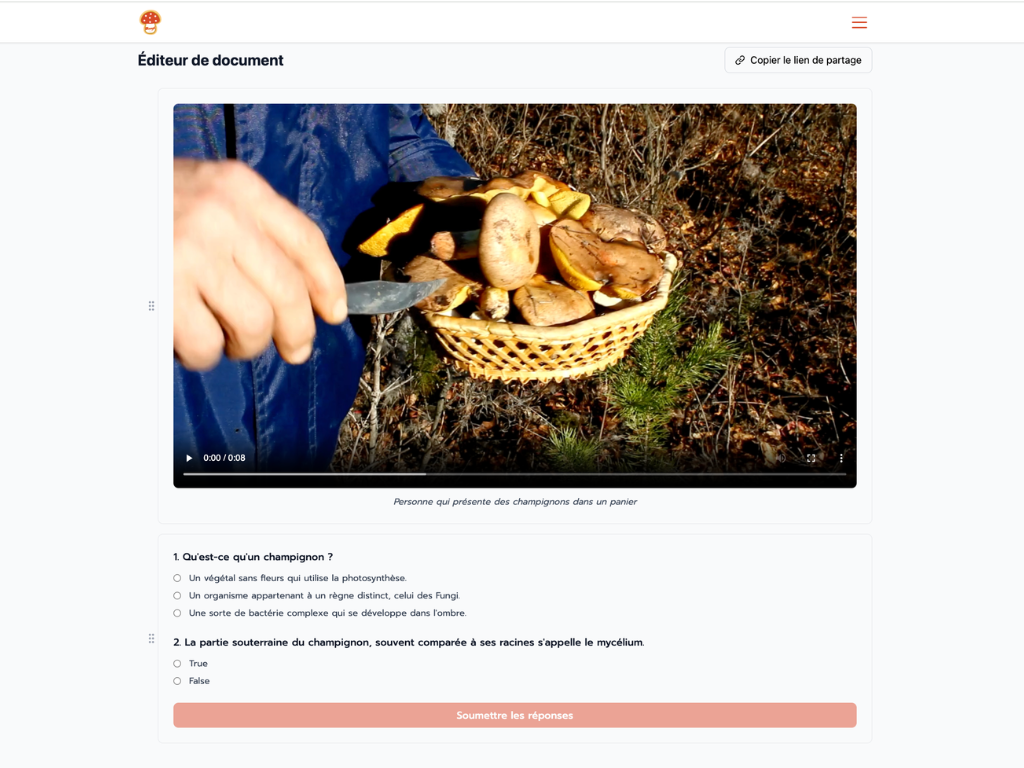
Parle is a Quebec-based platform that took a different approach: à la carte pricing. The idea is to bring together the tools Canadian small businesses and solopreneurs need, then let them pick what they need when they need it.
We want to help small businesses with their web presence, online sales and operations.
For online course creators, we have:
- Our CRM, a contact database with tags and filters : free.
- Our website builder : $5 per month.
- Our online course module : $20 per month.
- Our email sequence module : $9 per month.
- Our booking module : $5 per month.
- Our community module : $20 per month.
- Our webinar module, in beta: $8 or $12 per webinar.
But first and foremost, I think one of Parle’s biggest strengths is the support you get. In French or English, directly from the founders, right here in Quebec. You’re talking to the people building the platform, who can actually move things forward.
It’s all under one roof. Your coaching bookings, your community and, with our beta module, your live webinars. You don’t have to piece together a puzzle of accounts and connections for every new idea. You turn on the modules when you need them.
We even have a complete business phone system . Yep. Have customers who prefer to call before signing up for your coaching? That’s part of running a small business, too. Parle goes beyond selling videos.
Your website and online course module come to $25 CAD per month. That’s the minimum cost to start selling your courses with your Stripe account. Parle doesn’t take an additional percentage of your revenue; Stripe’s usual fees still apply.
Sales funnels? We have those, too
A sales funnel is really the path from “this person is interested in what I do” to “they become a customer.” A nice page is part of the job. You also need to stay in touch and follow up properly.
In Parle, a website form or a booking can create a contact in your free CRM and apply a tag. That tag can then trigger an email sequence . You set up the steps, and the follow-up happens automatically.
Here’s a concrete example: you offer management training and coaching. On your form, the person chooses what interests them: “manage my time better” or “delegate to my team.” You connect those choices to the corresponding tags, and each tag can start its own sequence. The person picks their topic and gets the emails that go with it.
The same goes for bookings. Someone books a discovery call? You can assign a tag that starts the sequence you’ve set up for that kind of appointment. Your website, bookings and emails all use the same contact database.
And that database does more than collect addresses. Want to see every contact with the “delegate to my team” tag? Filter your list. You can find that group and target your emails based on their interest. No need to keep a separate Excel file on the side.
That’s one of Parle’s strengths I want to highlight: forms, bookings, tags and sequences are connected. You can build your sales funnel with the modules you already use, and ask us directly for a hand, in French or English. The CRM is free; the website, bookings and sequences use the à la carte pricing listed above.
And of course, the cherry on top: we handle taxes properly . We focus on Canadian small businesses, and we’re right here in Quebec ourselves.
One thing to keep in mind: Parle is a young platform, and the webinar module is still in beta. If your launch depends on a very specific feature, come talk to us first. That’s part of the point of having access to the founders.
2. Kajabi

Image: Kajabi .
Kajabi brings together courses, email marketing, sales funnels, coaching and community. If your business is built around your expertise and you use all of that, the package can make sense.
Credit where it’s due: Kajabi has its own booking calendar and live video for coaching . You don’t automatically have to add Calendly and Zoom.
Where it gets tricky is choosing a plan. The Basic plan costs $179 US per month , with a limit of 5 products, 2,500 contacts and one community. Those limits matter if you want to build a range of short courses and coaching offers.
You might need the next plan up to increase your capacity, even if you don’t need its other features. Paying for the whole package is what appeals to me less when you’re just starting out.
If you’re deciding between the two, we have a page explaining Parle as a Quebec-based alternative to Kajabi , including our à la carte approach and local support from the founders, in French and English.
3. Podia
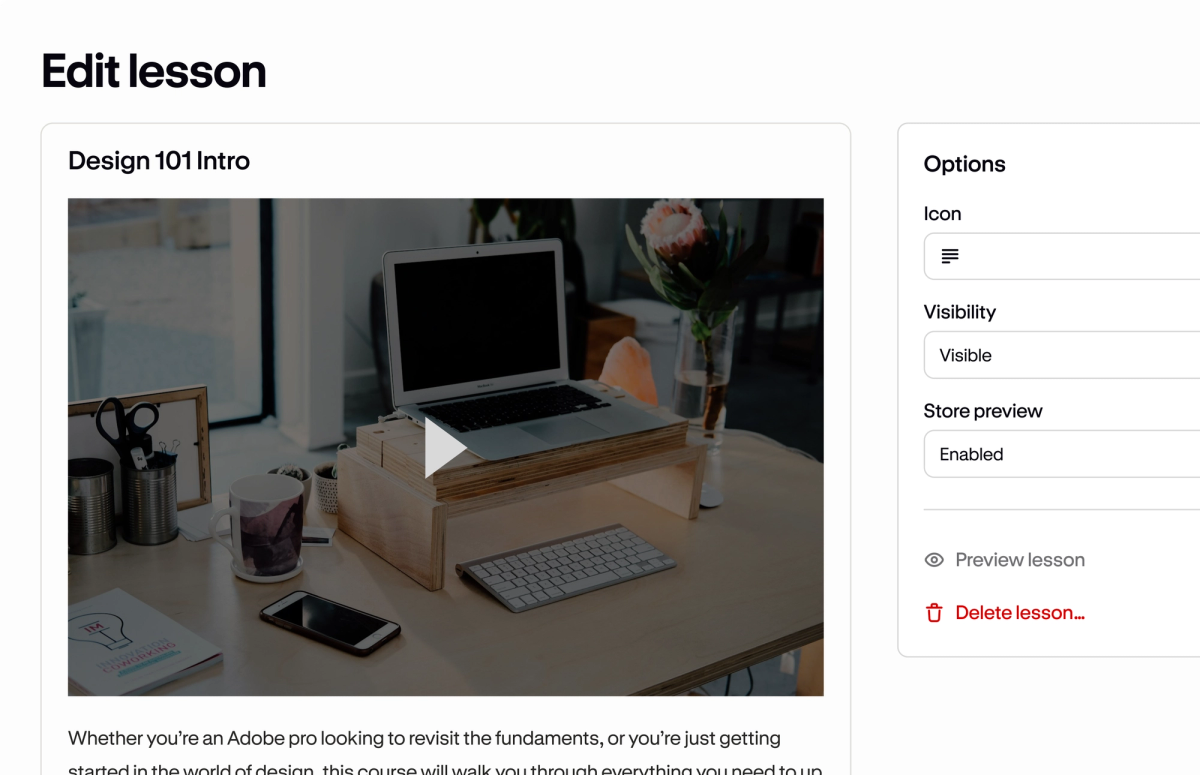
Image: Podia .
Podia lets you sell courses, downloads, coaching and events, with a website, community and email tools. The approach is fairly straightforward: you have something to teach, and you put it up for sale.
Here’s the detail to watch: the Mover plan costs $49 US per month and takes 5% of your sales , on top of payment processor fees. The Shaker plan, at $99 US per month, removes that commission.
On $2,000 in sales, 5% is $100. So look at what the plan will cost once things start working, not just before your first sale.
But it’s not only about price. For coaching, Podia requires an external calendar , such as Calendly or Acuity. For virtual events, the video runs through another service , such as Zoom, YouTube Live or Google Meet.
Podia handles sales and access, but you still have other tools to manage around it. If you already use them and you’re happy with that, great. If you’re trying to reduce the number of accounts, that matters when you choose.
4. systeme.io
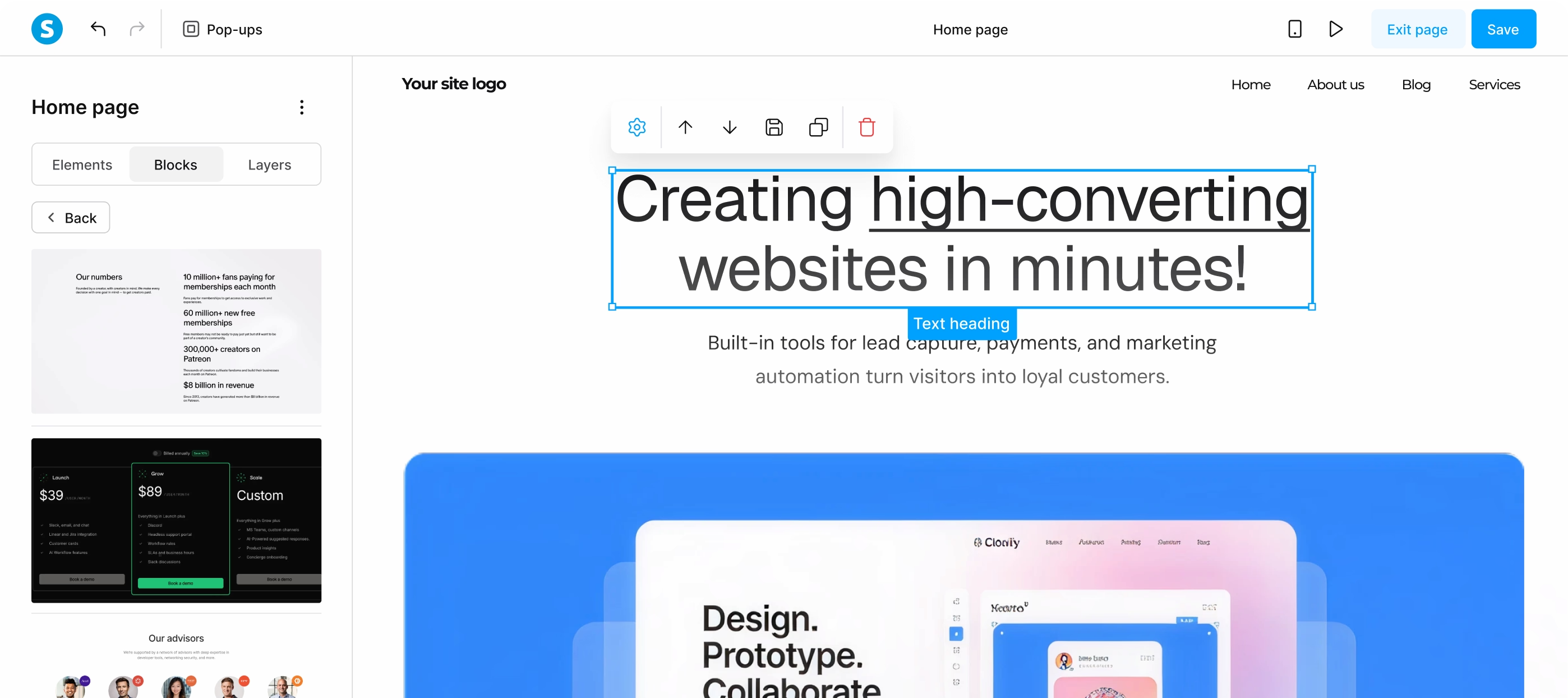
Image: systeme.io .
systeme.io is worth a look if you want courses, sales funnels and emails together on a small budget. There’s a free plan, followed by Startup at $17 US per month . Hard to leave it out of a comparison like this.
The platform also has a built-in booking calendar . So for coaching, part of the work already happens in the same tool.
Price doesn’t tell you everything about ease of use, though. We’ve spoken with entrepreneurs using systeme.io who told us they needed to hire someone to handle their website, sales funnels and courses. That’s their experience, but it’s a real cost to add to the subscription.
Public reviews aren’t all pointing in the same direction. On Capterra , a reviewer wrote on May 28, 2025 that, after building several Wix sites, she found systeme.io’s website builder more limited and sometimes awkward or buggy. The platform also gets plenty of positive reviews for ease of use. So give it a proper try with your own pages and follow-ups, rather than assuming it’ll be simple because it’s cheap.
systeme.io does have automations with forms, tags and sequences . What you need to assess is whether you can set them up and change them yourself. If you have to call a specialist every time you change your offer, the subscription savings can quickly become less appealing.
Also, watch the word “webinar.” In systeme.io, it means automated webinars using a prerecorded video . Its documentation says the platform doesn’t support hosting live webinars.
A presentation that runs automatically to sell your course is one thing. A workshop where learners ask you questions live is another. If that’s what you want, you’ll need another tool.
The free plan is also limited to one course and one automation rule , and automated webinars start with the Webinar plan at $47 US per month. It’s a good starting point, but think about your second course and first workshop before choosing.
5. Thinkific
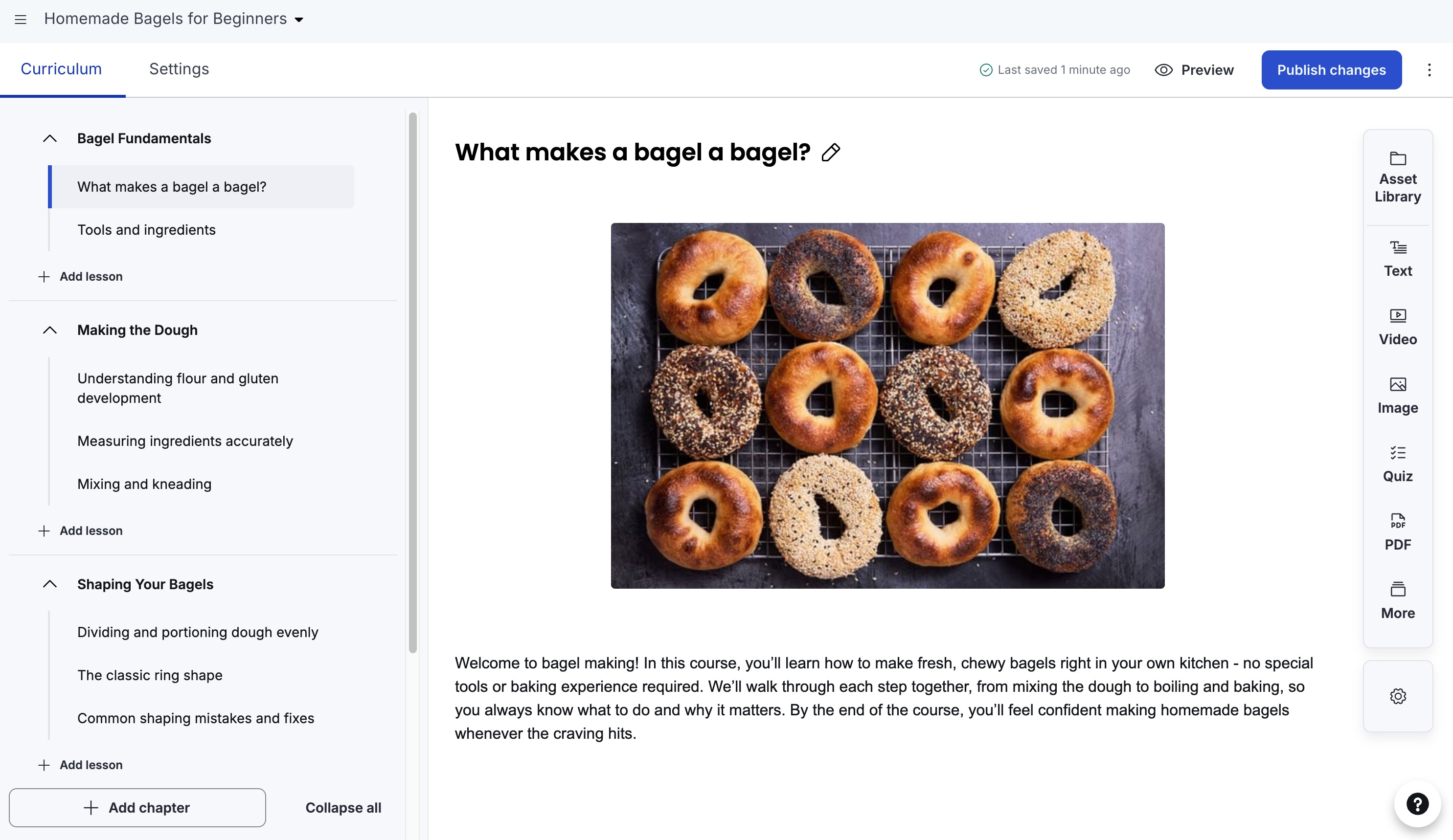
Image: Thinkific .
Thinkific puts a lot of emphasis on learning: lessons, quizzes, discussions and tracking student progress. If the teaching structure of your course is your priority, it’s worth a look.
The Basic plan costs $54 US per month , with unlimited courses and one community. Certificates, assignments and payment plans, however, are part of Start, at $109 US per month. Those are practical considerations when putting your offer together, so check which plan supports the way you teach.
Thinkific also lets you sell coaching and webinars, but the video meeting uses an external video conferencing tool . Being able to sell a spot in a workshop doesn’t mean the platform provides the video service itself.
For creating and delivering training content, it’s an option to consider. For a small business that also wants to bring bookings, communications and other operations together, you need to look at what you’ll still have to connect.
6. WordPress with LearnDash
Image: LearnDash .
WordPress is your website platform. LearnDash is the plugin that adds courses. Together, they give you plenty of freedom to organize and present your training the way you want.
If you already have a WordPress site and you’re comfortable managing it, this can be a logical choice. LearnDash includes a course builder, quizzes and certificates, among other features. The Essentials plan is listed at $259 US per year , plus hosting and whichever other tools you choose.
The flip side of that freedom is that someone has to keep the whole thing running. Hosting, updates, backups, security and plugin conflicts still need managing, either by you or someone you pay.
And to add bookings, live webinars and a proper community around your courses, you’ll generally be putting together other plugins or services. LearnDash offers integrations, including calendar and forum tools, but you still have to set everything up and maintain it.
It’s doable. Plenty of people do it. But if your goal is to deliver training and coaching, ask yourself how much time you want to spend maintaining your site between clients.
What I’d check before choosing
I’d run a small test with my actual customer journey: someone fills out my form, chooses what interests them, receives the right email sequence, buys my course, takes a lesson, books coaching and joins my community. If I’m planning a live workshop, I’d test that too.
At each step, look at where the person ends up, which tool you need to open and who you’ll talk to if something gets stuck. Try editing a page, changing a sequence and finding contacts interested in a particular topic, too. Can you do those things yourself? Feature lists are useful, but this is where you’ll see whether the whole thing actually makes your life easier.
That’s what we’re trying to do with Parle: bring together courses, bookings, contacts and follow-ups, community, webinars in beta and even a phone system, with modules you turn on as you need them. And behind it all, you have the founders, in Quebec, in French and English.
Starting and growing a small business is hard enough. Your platform should give you a hand.